I wish to move some journals (Flavor text) and scenes (Just multi level maps with walls) between a Pathfinder game and a Cypher System game
No actors or items etc
I know about Shared Compendiums… however the documentation is out of date and doesn’t mention you need set an UNDERLYING SYSTEM for the compendium.
So if I create a Compendium I must select a system, if I select SF2e, I can see that compendium in the SF2e game but cannot access it in the Cypher one.
Is there another method? Exporting the JSON manually somehow, thought that was possible but no idea how
The document for Shared Compendium is old but still entirely relevant, admittedly we could highlight this info as well.
You do not need to specify a game system when creating Shared Compendium, this would then make the compendium system agnostic and available in all your games, when enabled.
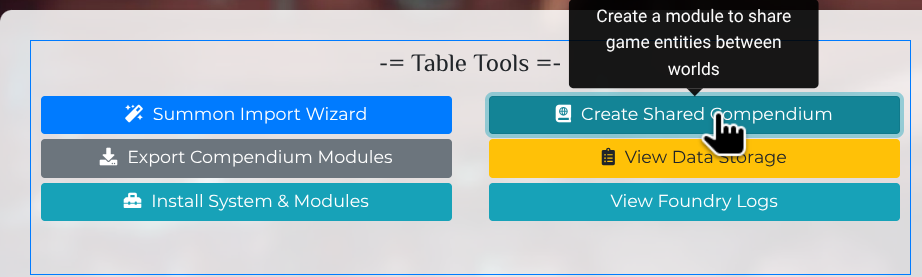
Simply navigate to forge Setup page > https://eu.forge-vtt.com/setup < and select Create Shared Compendium
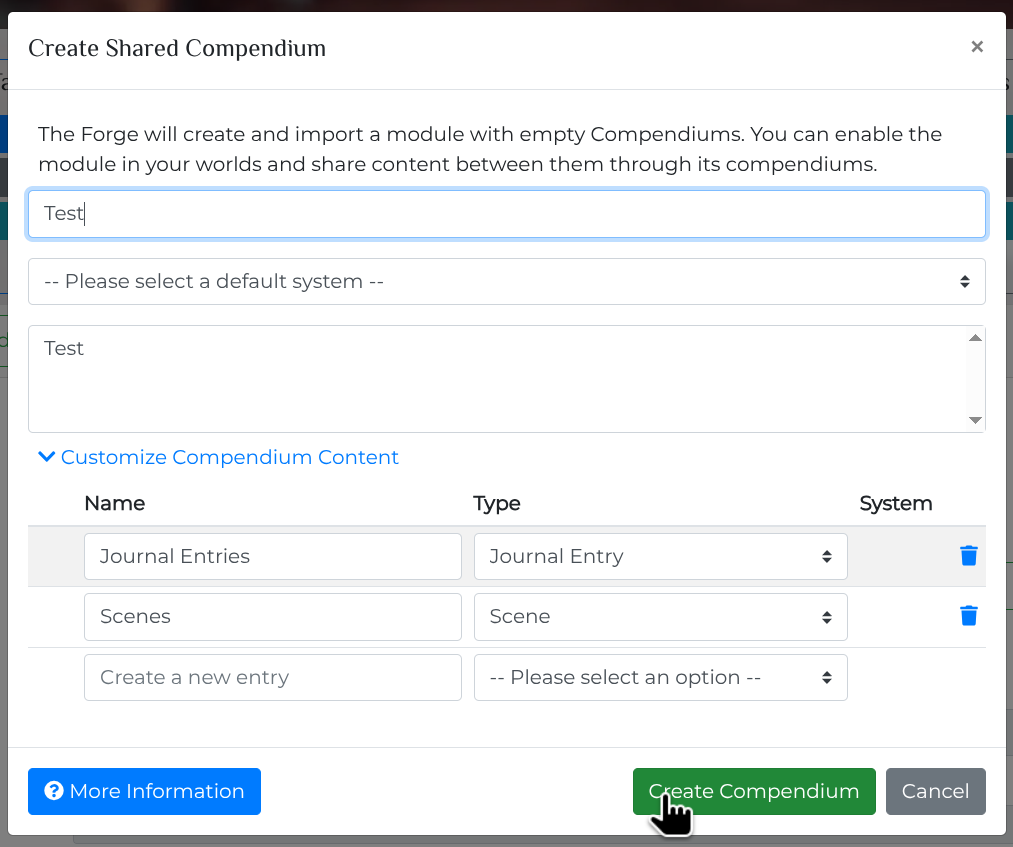
Then give it a name, remove everything but Journals and Scenes from the selection field, do not select any “Default System” and leave it as is, then the option to create the compendium will be available.
Thanks very much Aki! This indeed works. I did try create a compendium earlier without setting a System but the Create button was always disabled.
It was not obvious you needed to popdown the Customise section and change the settings to get it to work.
One point for others, if you do NOT define a system and popdown Customise, you will see which types of compendioums you can’t use (Yellow warning icon)